
When used to its full capacity, the coverage table is a powerful tool that you can use to create treatment plan estimates that reflect the actual benefits paid by an insurance carrier.
Most insurance carriers provide patients with a schedule of benefits to declare the maximum annual benefits for the individual and for the entire family. The schedule of benefits also includes deductible amounts, plan maximums, and the percentage of the "usual and customary fee" the insurance carrier will pay. You can add this information to the coverage table.
Note: Updating or changing any benefit and coverage information will affect all patients who subscribe to the selected group plan.
To create an out-of-network coverage table
1. In the Office Manager, click Maintenance, point to Reference, and then click Insurance Maintenance.
The Insurance Maintenance dialog box appears.
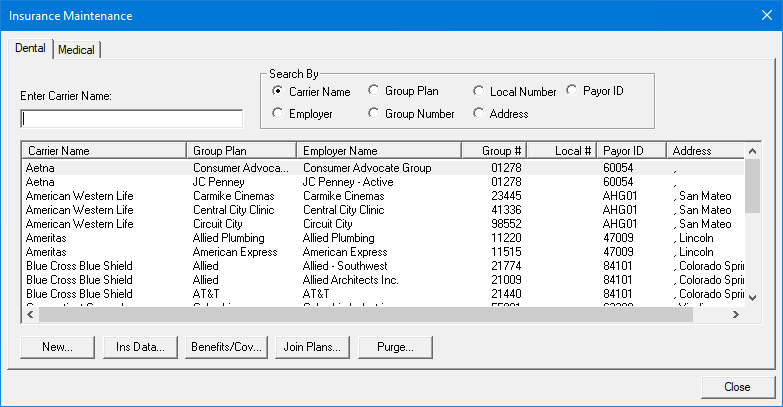
2. Select the carrier and group plan that you want to create an out-of-network coverage table for, and then click Benefits/Coverage.
The Dental Insurance Benefits and Coverage dialog box appears.
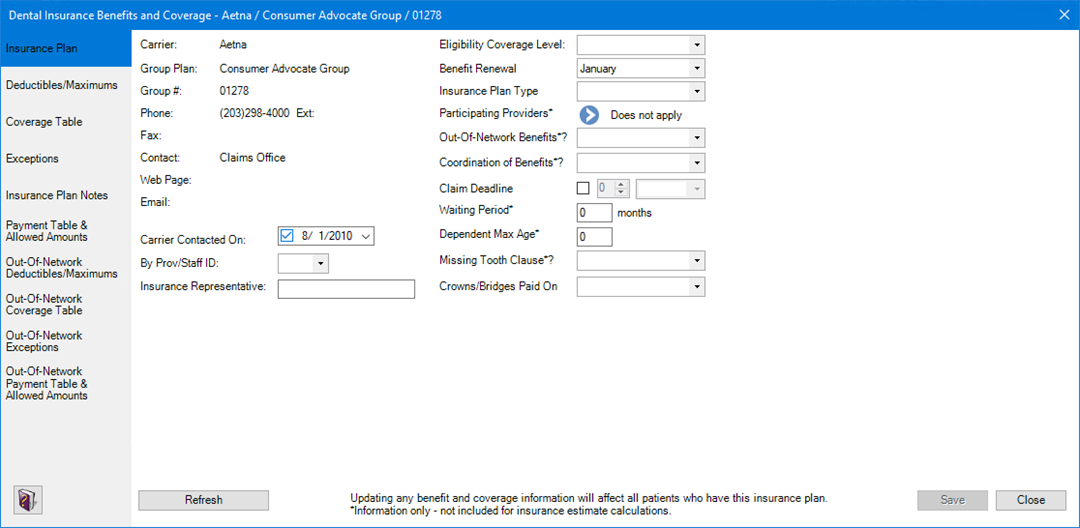
3. Click the Out-Of-Network Coverage Table tab.
The Out-of-Network Coverage Table appears.

4. To create an out-of-network coverage table, do one of the following:
· Click
Copy From In-Network Coverage Table
 .
.
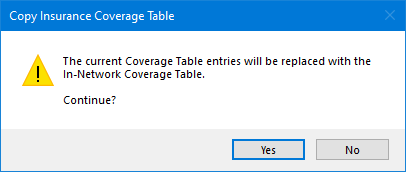
The Copy Insurance Coverage Table dialog box appears.
· Click Add  ,
and then enter each table entry manually.
,
and then enter each table entry manually.
The Coverage Table fills in.
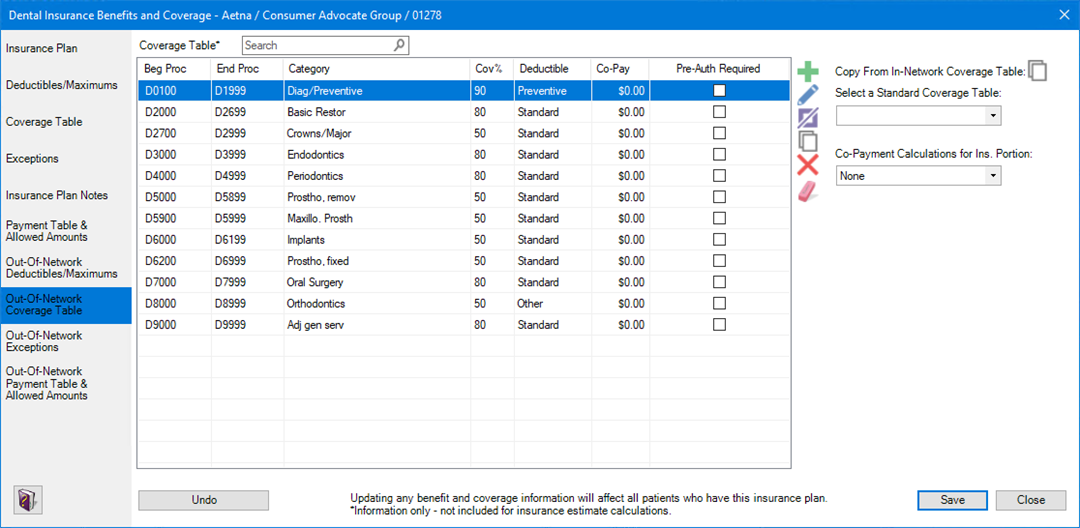
5. Do one of the following:
· To undo your changes, click Undo.
· To save your changes, click Save.